
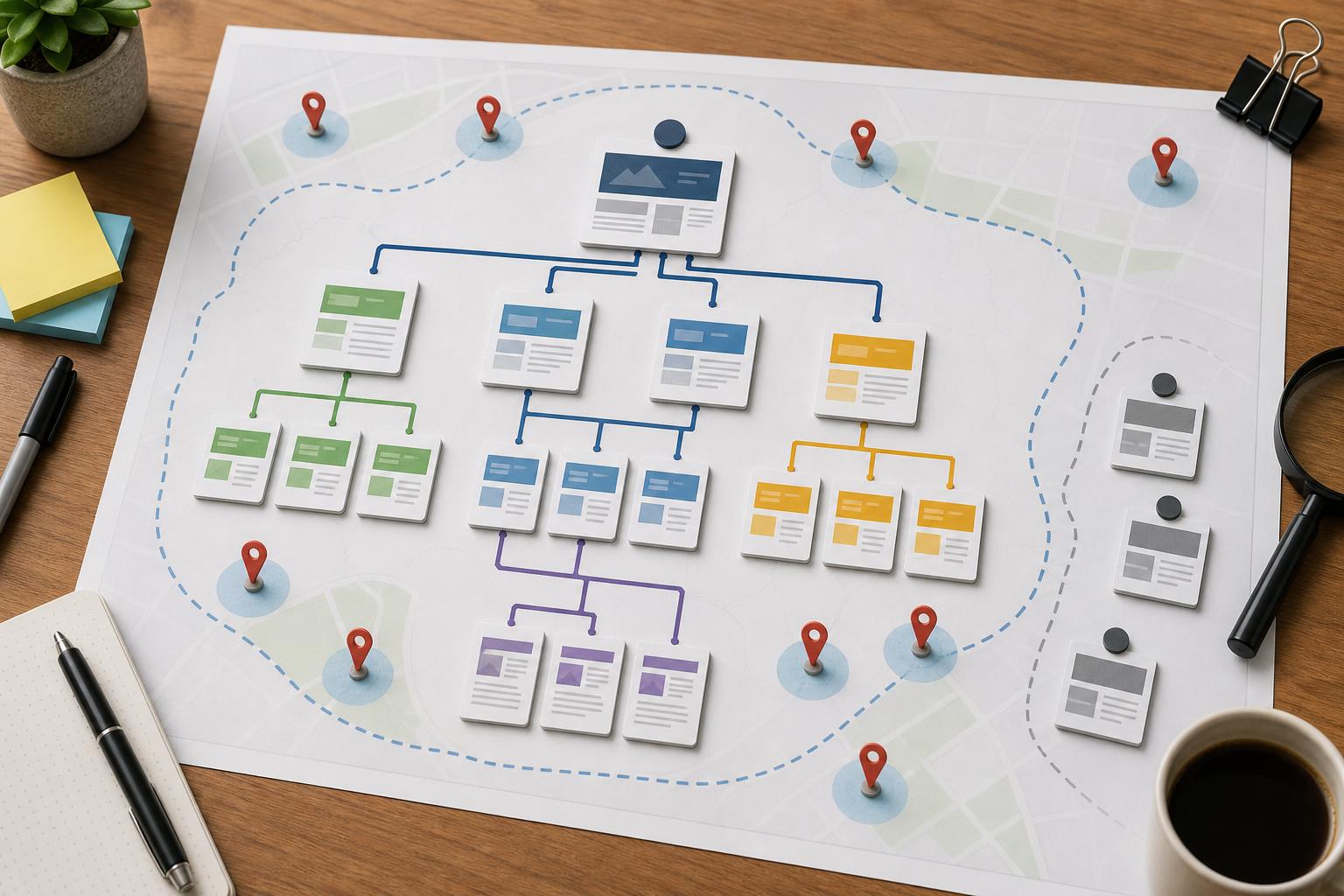
Many small business websites do not have a content problem as much as they have a connection problem.
You may already have solid service pages, a few location pages, a helpful blog, and a homepage that clearly explains what you do. But if those pages are not connected in a deliberate way, Google has a harder time understanding which pages matter most, which topics support each other, and which pages deserve more visibility in local search.
That is where internal linking comes in. Internal links help search engines crawl your site, understand page relationships, and pass relevance and authority from stronger pages to pages that need more support. They also help real visitors move from an informational page to a service page, from a city page to a contact page, or from a blog post to the page that actually generates a lead.
For local businesses, these gaps often go unnoticed because the site still looks fine on the surface. The menu works. Pages exist. Nothing appears broken. But rankings stall, city pages stay weak, and important service pages never build enough momentum.
When nuBranch Media reviews Local SEO performance for small businesses in Toronto and the GTA, internal linking is one of the first things we check after core page quality and search intent alignment. It is a practical fix that often improves crawl paths and page support without requiring a full redesign.
If your site has good pages that are not pulling their weight in search, internal linking may be one of the quiet reasons why.
Key Takeaways
- Internal links help Google understand which service and location pages matter most.
- Orphaned pages, vague anchor text, and disconnected city pages can weaken local rankings.
- Blog content should support lead-driving pages, not sit in isolation.
- A simple audit can uncover high-impact fixes without rebuilding the whole site.
- Better internal linking improves both search visibility and the path to conversion.
Why internal linking matters for local search
Local SEO is not only about Google Business Profile signals, reviews, and local citations. Your website still plays a major role in showing Google what you offer, where you offer it, and which pages should rank for those topics.
Internal links create the structure that ties those signals together.
For example, imagine a plumbing company with these pages:
- Homepage
- Drain cleaning service page
- Emergency plumbing service page
- Etobicoke location page
- North York location page
- Blog post about common causes of clogged drains
If those pages barely link to one another, Google sees a set of separate URLs. If the clogged drain article links naturally to the drain cleaning page, and the drain cleaning page also connects to the relevant service areas, the relationship becomes clearer. The site starts reinforcing topic relevance instead of scattering it.
That matters because local growth often depends on a small group of pages: your highest-value services, your strongest location pages, and your most visible supporting content.
We often see small business sites where the homepage gets most of the internal links, while deeper service pages and city pages are barely referenced anywhere else. That setup usually makes the homepage stronger than the pages that actually need to rank for purchase-intent searches.
The internal linking gaps that quietly hold websites back
1. Orphaned or nearly orphaned pages
An orphaned page is a page with little or no internal linking pointing to it. Sometimes it exists in the XML sitemap, but it is not connected through useful links from other pages on the site. In other cases, it is only accessible from a dropdown menu, a footer link, or an old blog archive.
This happens often with:
- New service pages
- New city or suburb pages
- Seasonal landing pages
- Older blog posts that were never integrated into the site structure
If a page matters for leads or rankings, it should not be hidden.
A common example is a roofing company that creates separate pages for roof repair in Scarborough, Mississauga, and Vaughan, but only links to them from a generic service area page. Each location page ends up weak because it has no real supporting links from related services, blog content, or neighboring local pages.
What to check first: open the page you want to rank and ask, “How many reasonable paths exist to reach this page from elsewhere on the site?” If the answer is “almost none,” that page is under-supported.
2. Vague anchor text that says very little
Anchor text is the clickable text in a link. It gives users and search engines context about the page being linked to.
Weak anchor text includes phrases like:
- Click here
- Learn more
- Read this
- Our page
- Services
Those links are not useless, but they do not do much to clarify topic relationships.
Stronger anchors are more descriptive and more natural, such as “drain cleaning service,” “our Toronto web design process,” or “SEO service pages.” They tell readers what they will find next and help Google connect related concepts.
That does not mean every anchor needs to be keyword-heavy. In fact, over-optimized anchors can feel spammy and repetitive. The goal is clarity, not forcing the same phrase everywhere.
At nuBranch Media, we usually look for anchor text variety that still preserves meaning. If every internal link says the same thing, the site feels mechanical. If every anchor is vague, the site loses topical signal. The best structure sits between those extremes.
3. Navigation that links to everything but supports very little
Some sites try to solve internal linking by placing every page in the main menu, mega menu, sidebar, and footer. That may increase raw link count, but it does not automatically create a strong internal linking strategy.
Overlinked navigation can create noise instead of clarity.
If your menu links to every service, every city, every blog category, every FAQ page, and every miscellaneous landing page, users may struggle to navigate it. More importantly, your contextual links inside page content become even more important because they carry clearer topical meaning.
Navigation should help users browse the site. Contextual links inside paragraphs should help Google and visitors understand how pages relate.
Think of it this way: a footer link to “Locations” is fine, but a paragraph on your furnace repair page that naturally links to your North York service area page is often much more useful.
4. Disconnected location pages
Location pages are often created in bulk and then left isolated.
A contractor may have pages for Toronto, Markham, Richmond Hill, and Oakville, but each one is only linked from a top-level locations hub. That misses an opportunity to connect service relevance with geography.
Useful internal linking for local pages often includes:
- Links from service pages to relevant location pages
- Links from location pages back to the most relevant service pages
- Links between closely related city pages where that helps users navigate nearby service areas
- Links from blog posts with local intent to the right local landing page
For businesses serving Toronto and the GTA, this matters because service coverage is often regional, not citywide in a single simple way. A well-structured site can show both what you do and where you do it.
One pattern we see a lot is a location page that mentions multiple services but never links to the actual service pages. That leaves both users and search engines with an incomplete path. If someone lands on “HVAC services in Etobicoke,” they should be able to move directly to pages for AC repair, furnace installation, or maintenance plans where appropriate.
5. Blog content that never supports money pages
This is one of the most common missed opportunities on small business websites.
Businesses publish blog posts to answer questions, build trust, and target long-tail searches. That is useful. But too often, those posts link to nothing meaningful beyond the homepage or a generic contact page.
If your blog attracts impressions or traffic, it should help strengthen your lead-driving pages.
For example, a dental clinic might publish an article about signs you may need an emergency appointment. That post should likely connect to the emergency dentistry service page and, if relevant, to a local page for the clinic’s service area. Otherwise the post may bring awareness but fail to support rankings or conversions.
If you want a broader look at foundational mistakes, our article on Local SEO for small business covers several areas where good websites still underperform.
How weak internal linking affects business outcomes
Internal linking problems are easy to dismiss because they are technical enough to seem minor, but their effect is often business-level.
Weak internal links can lead to:
- Service pages that do not rank as well as they should
- Location pages that struggle to gain visibility
- Important pages getting crawled less efficiently
- Blog traffic that does not turn into inquiries
- Authority pooling on the homepage instead of supporting deeper revenue pages
- Users dropping off because the next logical step is unclear
In practical terms, this means you may be publishing content and adding pages without getting the full value from them.
That is one reason internal linking deserves more attention in small business SEO. It helps you get more from the content and pages you already have instead of assuming the answer is always “create more.”
A simple way to audit internal links on a small business website
You do not need enterprise software to find many of the biggest issues. A straightforward audit can reveal what matters most.
Step 1: List your priority pages
Start with the pages that matter most to leads and rankings. Usually that means:
- Top service pages
- Top location pages
- High-converting landing pages
- Contact or quote request pages
Ask yourself which pages you would most want a customer to land on from search. Those pages should receive intentional internal support.
For many small businesses, the list is shorter than expected. It may only be 10 to 20 pages that really drive results.
Step 2: Check how each priority page is linked internally
For each page, review:
- Which pages link to it
- Whether those links are in content or just navigation
- What anchor text is used
- Whether the links come from relevant topical pages
If a key page only receives one or two generic links, that is a signal it needs more support.
When we audit sites, we are not just counting links. We are looking at whether the right pages support the right pages. Relevance matters more than bulk.
Step 3: Look for content clusters that break down
Review your site by topic, not only by URL.
If you offer three related services, do those pages connect logically? If you have several location pages, do they tie back to the most relevant core services? If you have blog posts on common customer questions, do they point readers toward the pages that solve those problems?
This is where many internal linking audits become useful fast. You stop seeing isolated pages and start seeing whether topic pathways actually exist.
For businesses building out better service content, our guide to SEO service pages pairs well with internal linking work because page quality and page support should develop together.
Step 4: Identify orphaned and underlinked pages
Now flag the pages that matter but receive little internal support.
These usually fall into three groups:
- Pages that were created recently and never integrated
- Pages that were created for SEO but never given user-focused pathways
- Pages that sit too deep in the site architecture
Not every page deserves equal attention. Focus first on underlinked pages with clear commercial or local intent.
Step 5: Prioritize fixes by impact, not by volume
You do not need to add 200 links across the site to improve internal linking. A smaller set of strategic updates often matters more.
Start with fixes that support:
- Your highest-value services
- Your best location opportunities
- Blog posts that already get traffic
- Pages that are ranking on page two or near the bottom of page one
These are often the pages where better internal support can contribute to noticeable gains.
What better internal linking looks like in practice
Connect service pages to supporting content
If you have educational articles, FAQs, or blog posts related to a service, link them to the service page naturally where they help the reader take the next step.
Example: a pest control company writes a post on signs of a carpenter ant problem. Within that article, a natural link to the ant control service page makes sense. If the company also has a page for services in Vaughan, a second relevant link may be appropriate if the article references that area specifically.
Connect location pages to the services people actually want there
A location page should not function like an isolated placeholder. It should guide users toward the services most relevant to that area.
Example: a Toronto physiotherapy clinic has a page for downtown Toronto. That page should connect to core treatment pages such as sports injury rehab, back pain treatment, or pelvic health if those services are offered there.
Use stronger contextual links inside body copy
This is where many small business sites can improve without a redesign.
Look inside your existing paragraphs. Where are you already mentioning a service, a problem, or a location that could reasonably connect to a more detailed page? Those are often the most valuable internal link opportunities because they are embedded in relevant context.
Common mistakes to avoid while fixing internal links
- Adding too many links at once: If every paragraph contains multiple links, the page becomes noisy and less useful.
- Using the same anchor everywhere: Repetition can look forced. Keep anchors descriptive but varied.
- Linking unrelated pages just to increase counts: Relevance matters more than volume.
- Forgetting user intent: The link should make sense for a real visitor, not only for SEO.
- Only linking downward: Service and location pages can also link laterally and upward where useful, especially toward contact or conversion pages.
A good test is simple: if the link helps someone understand what to do next, it is usually worth considering.
How to prioritize fixes if you have limited time
If you cannot review the whole site right away, start here:
- Pick your top 5 service pages.
- Pick your top 3 location pages.
- Find 10 to 15 existing blog posts or pages that mention those topics.
- Add or improve internal links where the connection is natural.
- Review whether those priority pages also link to each other appropriately.
This lighter process can still create meaningful improvements, especially for local service businesses with compact sites.
If your site has been growing for years without a clear content structure, internal links often become uneven over time. That is normal. The goal is not perfection. The goal is making sure your most important pages are not left to rank on their own.
For businesses in Toronto and the GTA, this often becomes especially important once multiple service areas are in play. A site may be targeting several neighborhoods or surrounding cities, and without strong internal pathways, those pages can remain thin in authority even when the copy is decent.
Final thoughts
Internal linking is one of the easiest SEO elements to overlook because it lives between pages instead of on a single page. But that is exactly why it matters. It shapes how authority flows, how topics connect, how efficiently search engines crawl the site, and how visitors move toward an inquiry.
If your local rankings have plateaued, your location pages feel weak, or your blog content is not helping your service pages enough, internal linking is worth a closer look. In many cases, better connections between existing pages can unlock more value than publishing another disconnected article.
NuBranch Media often sees this on small business websites that already have the right ingredients but not the right structure. A few targeted changes can make service pages easier to discover, city pages more relevant, and content marketing more useful to the pages that actually drive leads.
If you want a second set of eyes on how your site structure is affecting local visibility, you can Explore our small business SEO guidance and use it as a starting point for your next round of fixes.